-black.png)
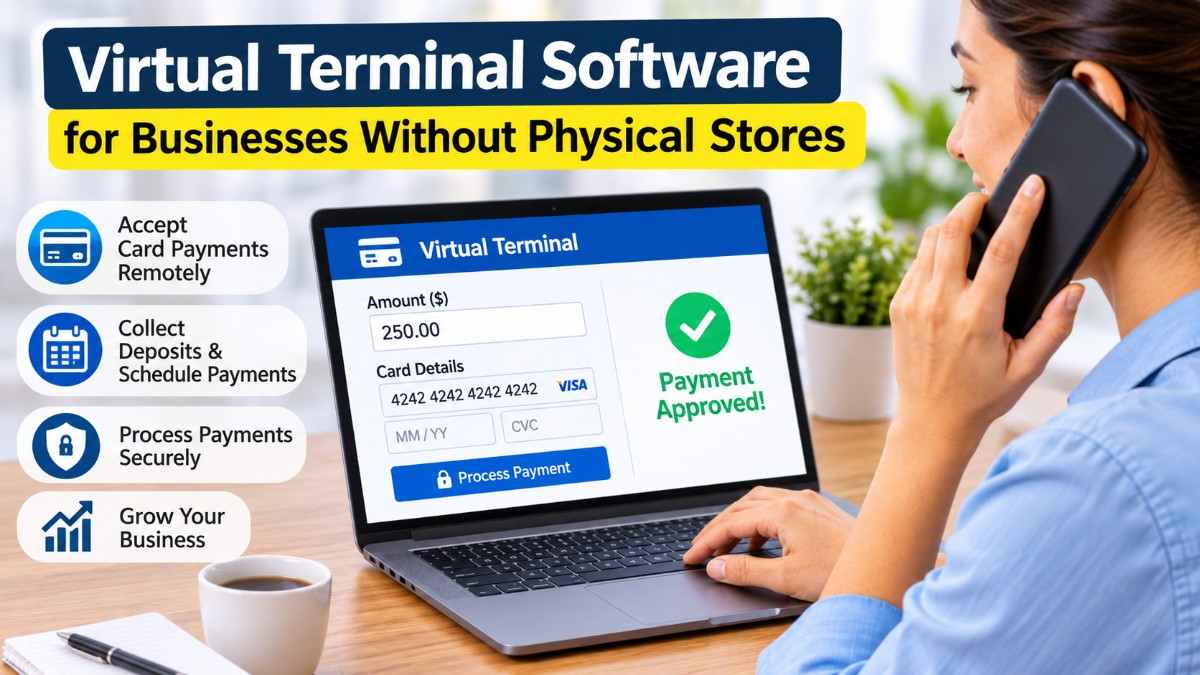
You run a catering company out of a commercial kitchen that customers never visit. A client calls on a Tuesday to book a dinner for 120 guests and agrees to a 30% deposit. There is no card reader within reach, and the client has no intention of mailing a check before the menu is final. With a virtual terminal open in a browser tab, you take the deposit while the client is still on the line.
The Small Business Administration's Office of Advocacy counted 36.2 million small businesses in the US in its 2026 report, and earlier editions of the same report found that about half of them were run from home. A large share of those owners sell services and meet customers at the customer's location or never meet them in person at all.
Remote Card Acceptance Basics
The business logs in to the virtual terminal from a web browser, enters the amount, and types in the card details that the customer reads aloud or writes on an order form. The payment processor authorizes the charge in a few seconds and deposits the funds to the business's bank account on its normal schedule, usually within one or two business days.
No hardware is required. Any device with an internet connection can open the terminal, so owners who move between job sites or work from a home office can use it on whatever device they have with them. The same login can be shared among several employees, each with their own user permissions, and the owner can review every charge from one dashboard at the end of the day.
Business Types With No Customer-Facing Premises
Trades such as plumbing and landscaping bill at the client's property, often after the work is finished and the owner has inspected it, while consultants and tutors work remotely and invoice at the end of each month. Photographers and event planners take bookings months ahead of the date, which makes deposits a normal part of the sale. Wholesale suppliers take repeat orders by phone from buyers they have dealt with for years, and nonprofits collect pledges by phone during fundraising drives.
In each case the payment happens away from any checkout. The customer is on a call or standing in a driveway, and the business needs a way to accept a card in that setting.
Deposits and Scheduled Balances
Service businesses often split a job into a deposit and a final payment. A virtual credit card terminal lets the business save the customer's card at booking, charge the deposit immediately, and charge the balance on the agreed date. The saved card can be charged again later without the customer repeating the number.
Installment plans follow the same pattern. A contractor finishing a $12,000 kitchen remodel can agree to three charges of $4,000 at set milestones and schedule each one in the terminal, which removes the follow-up calls that a mailed invoice would require.
Authorization Forms for Stored Cards
A saved card needs the customer's documented consent. Before storing a card for future charges, the business should collect a signed or electronically accepted authorization that states the amounts, the dates or triggers for each charge, and how the customer can cancel. The card networks require merchants to obtain this consent for stored credentials, and the form is the first document a bank asks for if the customer later disputes a scheduled charge.
Many terminals include a consent step in the hosted payment page, which time-stamps the customer's agreement and attaches it to the transaction record. Businesses using paper forms should scan them into the customer file and destroy any copy that shows a full card number.
Invoices With Payment Links
Some customers prefer to enter their own card details. Most virtual terminals can send an invoice by email or text message with a link to a hosted payment page, and the customer pays from their own device. The business receives a notification when the invoice is paid, and the payment is matched to the invoice automatically.
This option keeps card numbers away from staff entirely. A business that never hears or types a card number has fewer security obligations, and the customer can pay outside business hours.
Phone Payment Security
When staff do take a card over the phone, a few habits reduce fraud and protect the customer. Card numbers should be typed directly into the terminal and never written on paper or saved in a spreadsheet. Staff should ask for the billing ZIP code and the security code on every call, since the terminal compares both against the card issuer's records before approving the charge. A mismatch is a reason to decline the sale or confirm the customer's identity another way.
Recorded calls need extra care. Businesses that store call recordings for training should pause the recording while a card number is spoken, or use a system that masks it, so that card data does not end up stored in audio files.
Costs and Deposit Timing
A business that moves from paper checks to a virtual terminal starts paying card fees it did not pay before, and the keyed-in rate is usually one of the higher rates on a processor's price sheet. In exchange, funds arrive days sooner and the business no longer risks depositing a check that bounces. For a small contractor, being paid a week earlier on a $12,000 job changes how the materials for the next job are financed.
Pricing models vary. Some providers charge a flat percentage per transaction, while others pass through the card network's cost plus a fixed markup. A monthly software fee is common, and businesses with steady phone volume should compare the total cost across a typical month, including the fees on refunds and disputes.
Mobile Use in the Field
Because the terminal runs in a browser, a technician can take payment on a phone at the end of a service call. The receipt goes to the customer by email or text before the technician leaves. Businesses that later add a small reader for contactless taps can often keep the same account, so in-person and remote payments appear in one report. Owners can also limit technician logins to charges and receipts, which keeps refunds with the office staff who reconcile them.
A Driveway at 4:45 P.M.
A plumber finishes replacing a water heater, writes up the job on a phone, and hands the phone to the homeowner to check the total. The homeowner reads out a card number, the plumber types it into the terminal, and the approval comes back while the old tank is still being loaded onto the truck. The receipt arrives in the homeowner's inbox before the truck pulls away, and the payment is already recorded against the job in the plumber's books.