-black.png)
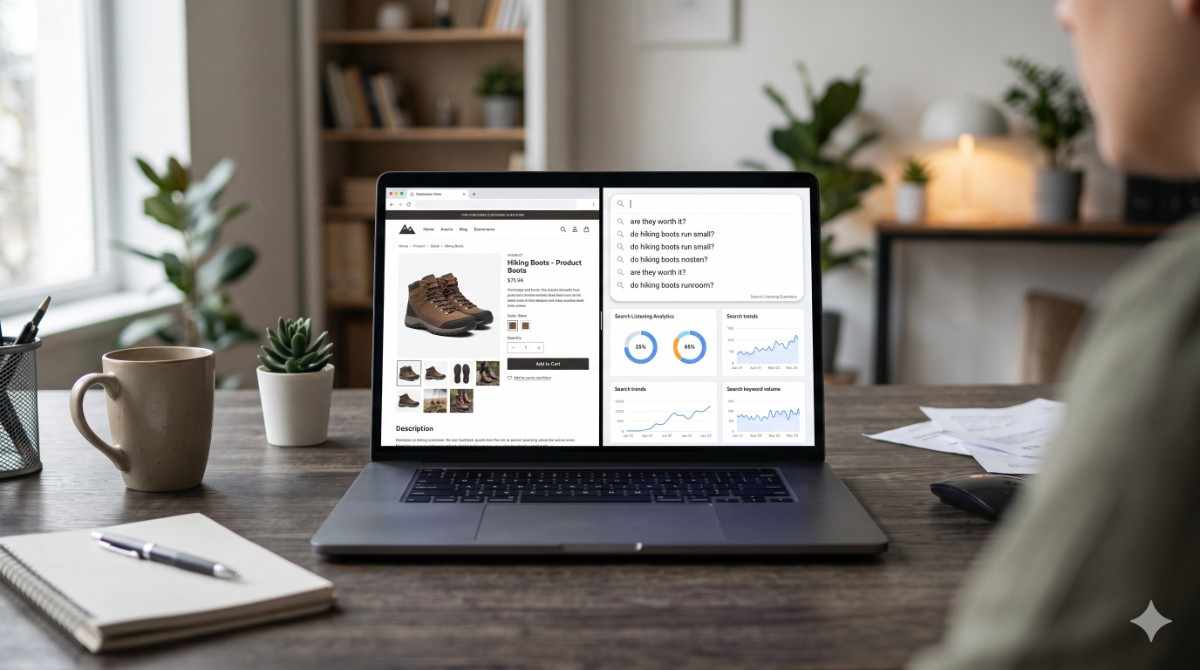
Before someone buys a pair of hiking boots, they rarely search "hiking boots." They search "do hiking boots run small," "are hiking boots worth it for occasional hikers," or "best hiking boots for wide feet under $150." The product name is the easy part. The doubt is what actually gets typed into the search bar.
Search listening for ecommerce means finding those pre-purchase questions and building content, product pages, FAQs, comparison posts, buying guides, that answers them directly instead of guessing at what shoppers want to know.
This matters more for a store than most businesses, because ecommerce content sits closer to the sale. A buying guide that answers the exact doubt a shopper is searching isn't just traffic. It's the last thing standing between a browse and a purchase.
What Is Search Listening for Ecommerce?
Search listening is the practice of studying what people type into search bars to understand what they actually want, in their own words. It's different from social listening, which tracks what people say publicly. The search box is more honest than a review, since people search real doubts privately, before deciding whether to buy at all.
Applied to ecommerce, search listening means looking past the product name into the questions around it: comparisons against other products, doubts about fit or durability, and the "is this actually worth it" question that shows up before almost every purchase.
About 20% of the searches Google sees every day have never been searched before, a reminder that shopper questions are often specific and oddly phrased, not the tidy keyword list product pages are usually built around.
What Kinds of Questions Do Shoppers Actually Search?
Comparison questions show up constantly: "X vs Y," "is X better than Y for beginners," "what's the difference between X and Y." These are high-intent searches, since the shopper has already narrowed the field and is looking for the deciding factor.
"Is it worth it" questions are their own category: "is a weighted blanket worth it," "is the upgrade worth the extra cost," "is this brand worth the price." A page that answers that honestly, with real tradeoffs, converts better than a generic description.
Fit, sizing, and compatibility questions are common in apparel, footwear, and anything with technical specs: "does this work with," "what size should I get if," "will this fit a." These are gold for FAQ sections, since they answer the exact hesitation keeping someone from clicking add to cart.
7 Search Listening Tools for Ecommerce Content
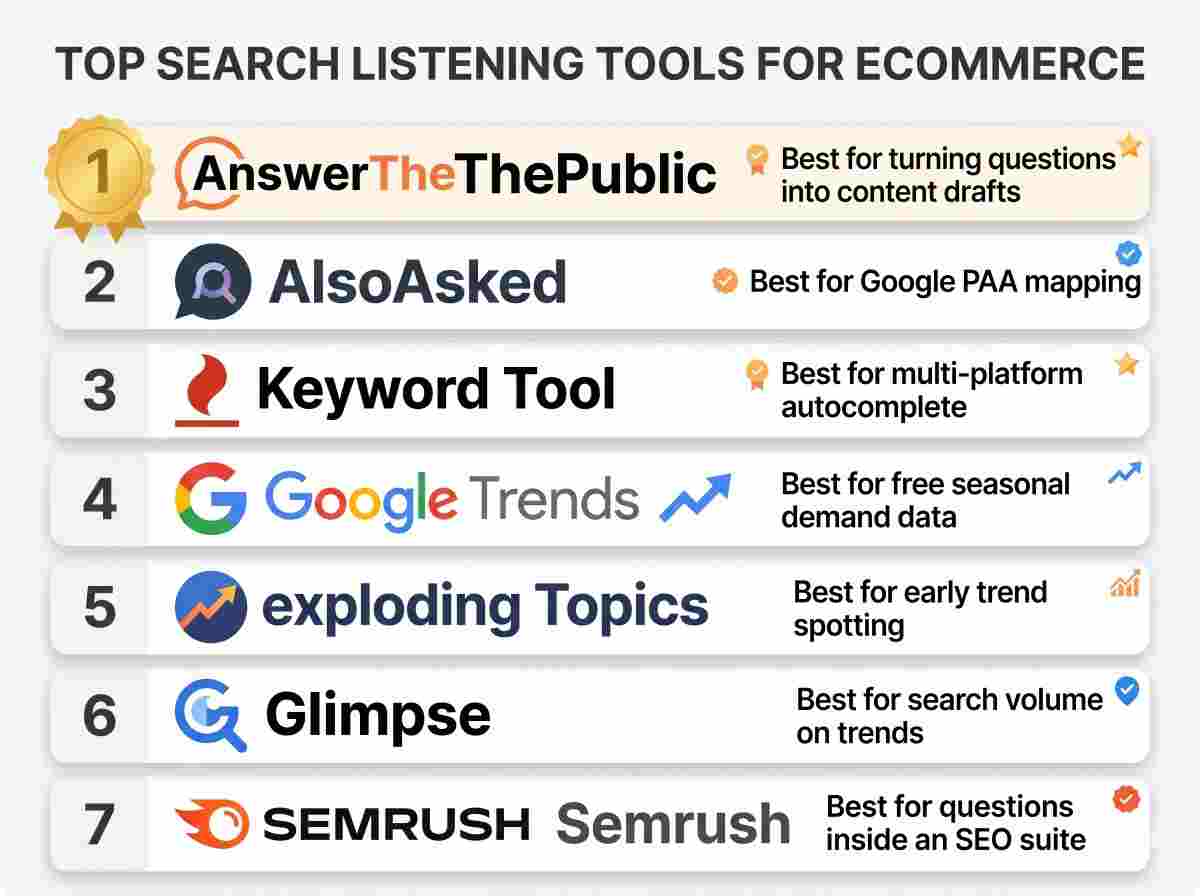
1. AnswerThePublic
Best For: Store owners who want product pages, FAQs, and buying guides built around what customers actually ask before they buy.
Key Strengths:
- Search listening across Google, YouTube, ChatGPT, Reddit, and more, built around the question wheel (Questions, Prepositions, Comparisons, Alphabetical, Related), surfacing the "is it worth it" phrasing shoppers use
- Paste your store's URL for a Business Summary plus 50 content ideas ranked by opportunity, each badged by how likely it is to rank
- Content Studio researches top-ranking pages and drafts a buying guide or FAQ page in your brand voice
Pricing: Free plan available. Paid plans: Starter $10/month (1 user), Growth $49/month (up to 3 users), Business $99/month (up to 10 users), billed monthly, with four months free on yearly billing. Monthly AI article allowances run 6, 35, and 80 depending on tier.
Standout Feature: The only tool here that goes from a real customer question to a finished draft in one place.
Why It Made Our List: Most ecommerce content is written from the store's point of view, not the shopper's doubts. AnswerThePublic starts from the shopper's actual search phrasing.
2. AlsoAsked
Best For: Mapping Google's People Also Ask chains for FAQ and buying guide planning.
Key Strengths:
- Visual PAA question trees several levels deep
- Multi-country and multi-language data
- CSV export on paid tiers
Pricing: Basic $15/mo ($12 annual), Lite $29/mo ($23 annual), Pro $59/mo ($47 annual). 3 free searches per day.
Standout Feature: Makes it easy to see one product question lead to the next. Source is Google's PAA data only.
3. Keyword Tool (keywordtool.io)
Best For: Pulling autocomplete suggestions from multiple shopping-adjacent platforms at once.
Key Strengths:
- Autocomplete from Google, YouTube, Bing, Amazon, eBay, App Store, and Instagram in one search
- Long-tail phrasing at scale
- Free version returns ideas without an account
Pricing: Pro Basic $89/mo ($69 annual), Pro Plus $99/mo ($79 annual), Pro Business $199/mo ($159 annual).
Standout Feature: Amazon's autocomplete sits right next to Google's, so store owners see marketplace phrasing and web phrasing side by side.
4. Google Trends
Best For: A free, directional read on whether interest in a product category is rising, falling, or seasonal.
Key Strengths:
- Completely free, no account required
- Real-time and historical comparisons by region and category
- First-party Google data across Search, Shopping, and YouTube
Pricing: Free.
Standout Feature: First-party Google interest data at no cost, though it's a relative 0 to 100 index rather than absolute demand, with no question phrasing.
5. Exploding Topics
Best For: Spotting emerging product categories or trends before they peak.
Key Strengths:
- Curated database of trending topics with growth charts
- Weekly trend reports and a macro "Meta Trends" view
- Free public trend library
Pricing: Entrepreneur $39/mo, Investor $99/mo, Business $249/mo, billed annually.
Standout Feature: Growth trajectory charts for spotting a rising category early, built for trend spotting rather than question-level research.
6. Glimpse
Best For: Turning Google Trends' relative index into estimated absolute search volumes for a product category.
Key Strengths:
- Converts the 0 to 100 scale into estimated volumes
- Chrome extension that layers on top of Google Trends
- Covers both Google Search and YouTube trends
Pricing: Free Hobbyist tier with a small monthly lookup cap. Paid plans aren't listed on a public pricing page.
Standout Feature: Estimated volume numbers on trend data, closer to demand measurement than question research.
7. Semrush (Keyword Magic Tool questions filter / Topic Research)
Best For: Larger stores already running a full SEO suite who want a questions filter inside it.
Key Strengths:
- A Questions filter isolates what, how, and why searches inside a large keyword database
- Automatic topical grouping
- Sits inside a broader competitive research platform many larger stores already pay for
Pricing: Pro $139.95/mo, Guru $249.95/mo, Business $499.95/mo, lower with annual billing.
Standout Feature: Question filtering inside a much larger SEO platform, a fit if search listening is one need among several rather than the main reason to buy it.
Quick Comparison
|
Tool |
Best For |
Starting Price |
Good Fit for Product Pages |
Free Plan |
|
AnswerThePublic |
Questions to finished buying guides |
$10/month |
Yes |
Yes |
|
AlsoAsked |
FAQ section planning |
$15/mo |
Yes |
Yes (3/day) |
|
Keyword Tool |
Multi-platform autocomplete |
$89/mo |
Partial |
Yes (ideas only) |
|
Google Trends |
Seasonal demand direction |
Free |
No |
Yes |
|
Exploding Topics |
Spotting rising categories |
$39/mo |
No |
Yes (public library) |
|
Glimpse |
Volume estimates on trends |
Free tier |
No |
Yes |
|
Semrush |
Questions inside a full SEO suite |
$139.95/mo |
Partial |
No (trial only) |
Full Comparison
|
Tool |
Best For |
Core Strength |
Pricing (entry) |
Standout Feature |
Free Plan |
Best Team Size |
AI Writing |
|
AnswerThePublic |
Buying guides and FAQs from real questions |
Research through to a draft |
$10/mo |
Question to published page |
Yes |
Solo / SMB / Agency |
Yes |
|
AlsoAsked |
FAQ planning from PAA chains |
PAA visualization |
$15/mo |
International PAA data |
Yes (3/day) |
Solo / SMB |
No |
|
Keyword Tool |
Autocomplete across shopping platforms |
Multi-platform autocomplete |
$89/mo |
Amazon, eBay coverage |
Yes (ideas) |
Solo / SMB |
No |
|
Google Trends |
Free seasonal demand data |
First-party Google data |
Free |
No cost, no account |
Yes |
Any |
No |
|
Exploding Topics |
Early category trend spotting |
Growth trajectory charts |
$39/mo |
Weekly trend reports |
Yes (library) |
Solo to Enterprise |
No |
|
Glimpse |
Estimated search volume |
Volume on Trends data |
Free tier |
Chrome extension |
Yes |
Solo to Enterprise |
No |
|
Semrush |
Questions inside a full suite |
Filter plus grouping |
$139.95/mo |
Broad SEO platform |
No (trial) |
SMB / Enterprise |
Partial |
How Do You Choose a Search Listening Tool for Your Store?
If your biggest content gap is not knowing what to write for product pages and FAQs, start with AnswerThePublic or AlsoAsked. AnswerThePublic also drafts the page, which matters for a solo store owner without a dedicated writer.
If your catalog is large enough that seasonal demand shifts matter more than product questions, Google Trends and Glimpse cover that.
If your store already runs Semrush, use its built-in questions filter first.
[INTERNAL LINK: How to write product page FAQs that actually answer buyer objections]
FAQ
What is search listening for ecommerce?
Finding the real, pre-purchase questions shoppers search, comparisons, sizing doubts, "is it worth it" questions, and using them to build product pages, FAQs, and buying guides.
How is search listening different from keyword research for a store?
Keyword research starts from a product term and shows how many people search it. Search listening starts from the full question a shopper types, revealing the doubt behind the search.
Which kinds of ecommerce content benefit most from search listening?
Comparison pages, "is it worth it" buying guides, and product page FAQs, since these formats exist to answer the doubts search listening surfaces.
Do I need a big catalog for search listening to be worth doing?
No. A single product line with well-answered doubts, sizing, durability, comparisons against the obvious alternative, can outperform a large catalog with no FAQ content at all.
Turning Customer Questions Into Content That Sells
Shoppers search their doubts before they search a product name, and most of those doubts go unanswered on the page trying to sell them something. Search listening for ecommerce closes that gap by starting from the actual question instead of a guessed keyword. Some tools here find those questions and stop. One carries the work through to a finished buying guide or FAQ page. Either way, the doubt a shopper types into a search bar is the best brief a store owner will get for free.